aitat.app

Loading tool…

✦ Tattoo Filler

Tattoo Filler Generator for the Shape You Draw

aitat.app Tattoo Filler Generator creates concepts from a gap shape you draw on a canvas. Choose a theme and style to explore a sleeve or patchwork filler direction, then ask your artist to adapt the design to the actual space.

Explore a Filler Direction
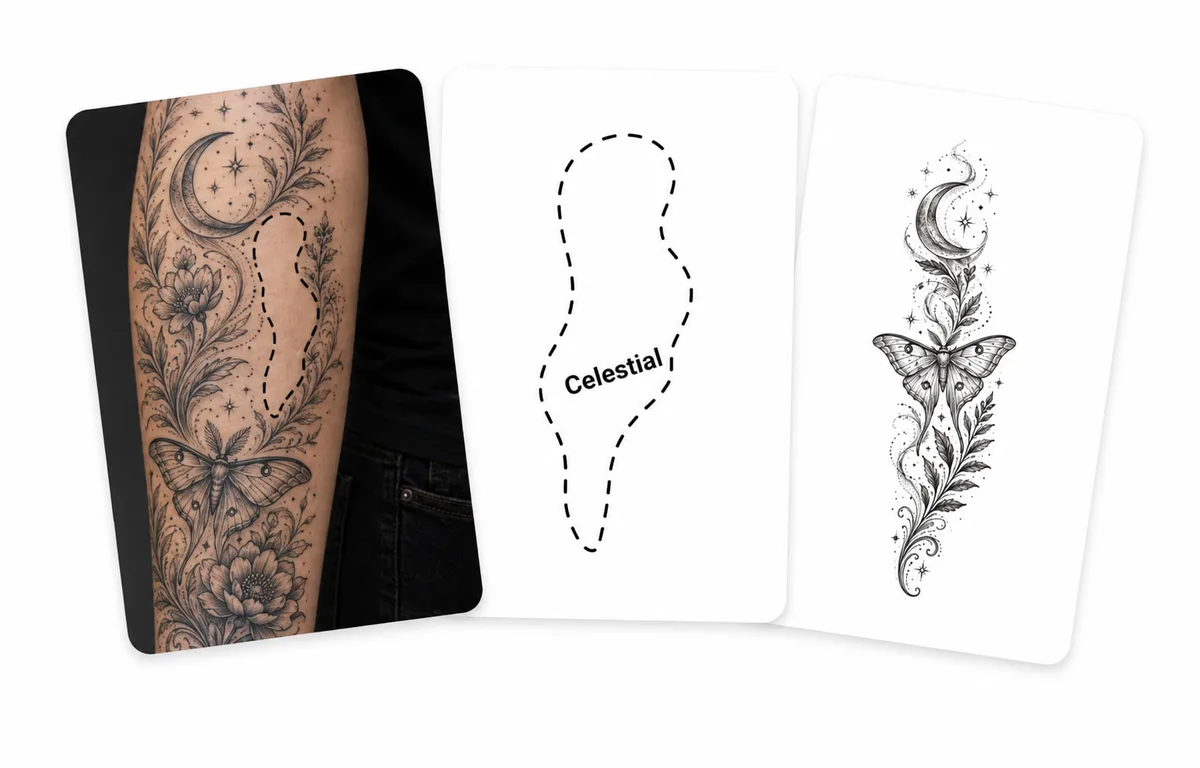
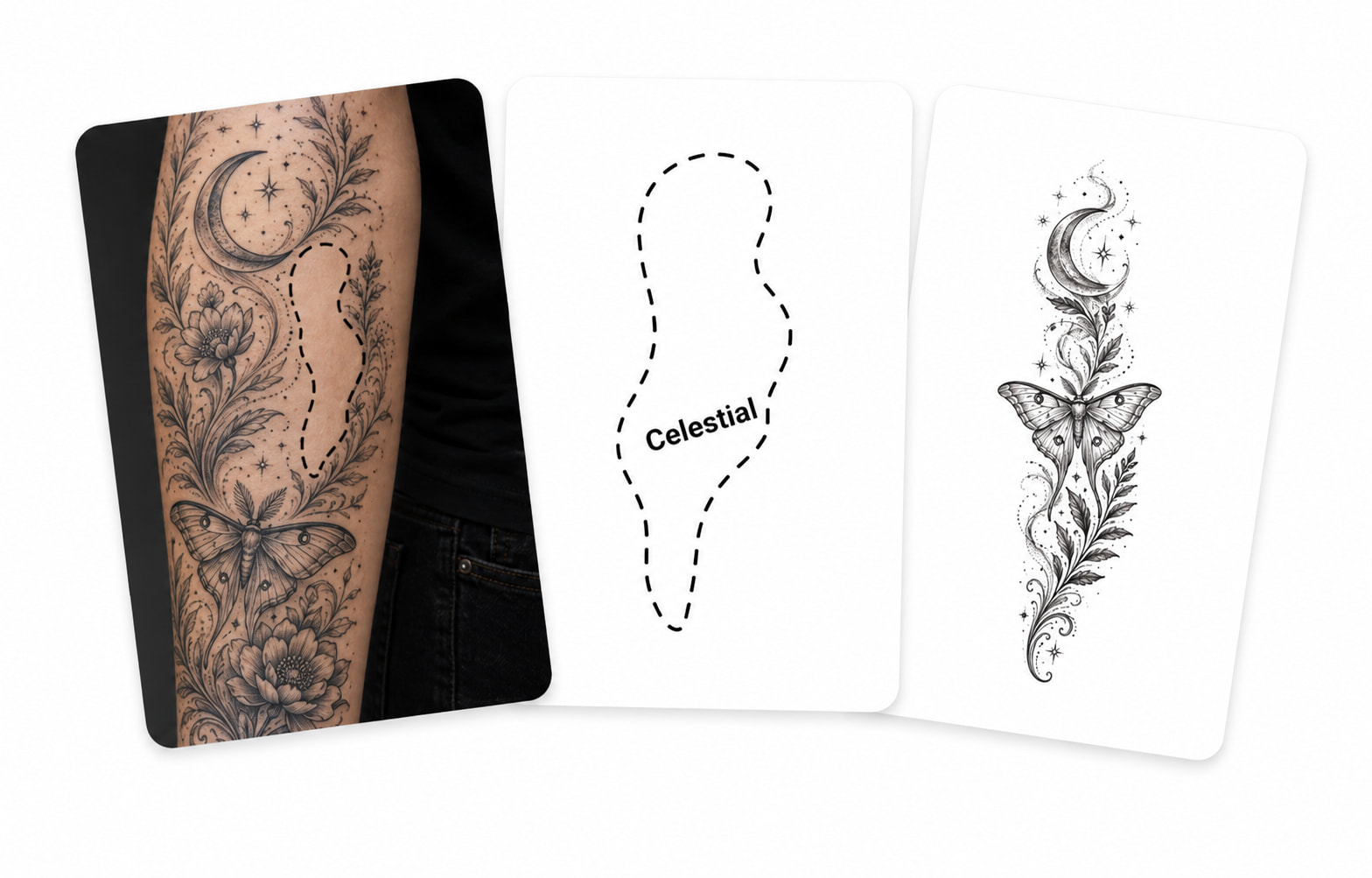
Sleeve gap, drawn gap outline, and a moon-and-moth filler concept

Start with a shape, then choose a theme

Draw an approximate outline of the gap on the canvas and save it. Choose a theme such as Floral, Celestial, or Geometric, or use Custom to describe another direction. The current tool uses your drawn shape; it does not automatically measure a gap from a body photo.

Consider the surrounding tattoos and the space you want to keep

Describe the style and density you want to explore. The tool does not read the surrounding tattoos automatically, and a drawn outline does not capture real skin dimensions or curvature. Your artist should adjust the composition, scale, and spacing. Each generated image uses 2 credits.

How to use this tool

  1. Open the shape editor, draw the gap, and save the shape.
  2. Choose a theme and style; add a description for a Custom theme.
  3. Generate a concept and show your artist the result alongside the existing tattoos.

Check plans and credit expiry and read the privacy policy.

Questions about aitat.app

Can I upload an arm photo for automatic gap detection?

The current filler tool uses a shape you draw on a canvas. It does not automatically detect or measure gaps from a body photo. Draw the approximate gap, choose a theme, and let your artist adapt the concept to the actual space.

Will a generated filler fit the gap exactly?

A drawn shape does not capture the dimensions or curvature of real skin. Your artist should adapt the concept to the actual gap, surrounding tattoos, and open space you want to retain.

How many credits does Tattoo Filler use?

Each generated filler image uses 2 credits. You can edit a saved shape to explore another direction; check the total credit cost before generating again.

Continue planning your tattoo

Bring a clearer reference to your artist

Compare the details you want to keep, then discuss size, linework, and placement.

Explore a Filler Direction