aitat.app

Loading tool…

✦ Image to Tattoo

Image to Tattoo: Turn a Photo Into a Design Concept

aitat.app Image to Tattoo creates a tattoo-style interpretation of an uploaded photo, sketch, or reference image. Describe the details you want to keep and the style you want to explore, then check the output before sharing it with an artist.

Create a Tattoo Idea From Your Image
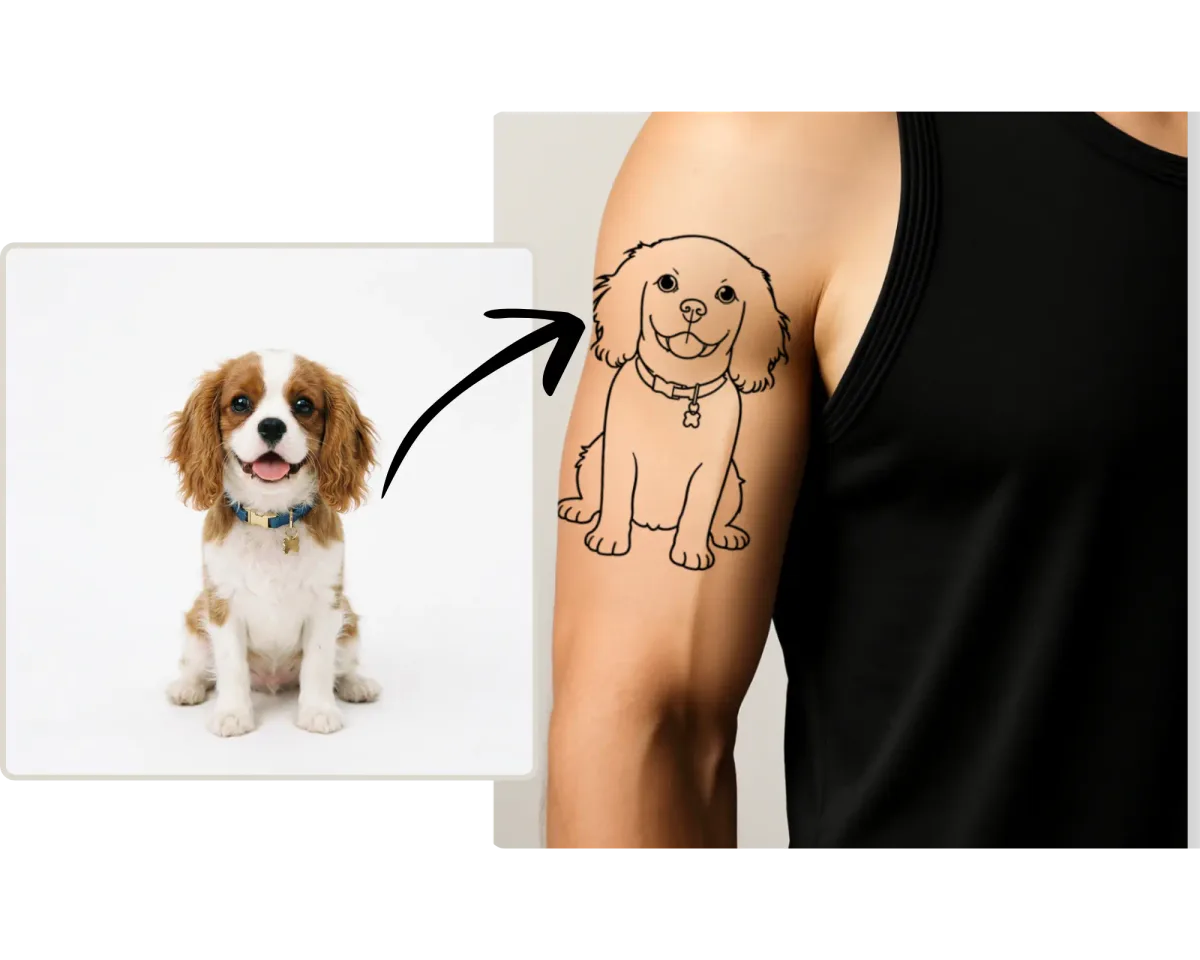
Dog photo beside a line-art dog tattoo preview on an upper arm

What image should you start with?

Choose a clear image with a visible main subject. In your description, name the features that matter: a pet's facial markings, a flower's shape, or the composition of a sketch. Upload only images you have permission to use.

Will the result exactly match your photo?

Image to Tattoo uses AI interpretation and can change proportions, markings, or small details. It is useful for exploring a design direction; it does not promise an exact likeness. Each generated image uses 2 credits.

How to use this tool

  1. Upload your reference image.
  2. Describe the desired style and the details to preserve.
  3. Compare the generated interpretation with your reference and note changes for your artist.

Check plans and credit expiry and read the privacy policy.

Questions about aitat.app

How many credits does Image to Tattoo use?

Each generated Image to Tattoo image uses 2 credits. The total is shown before submission, and downloading an existing result does not use additional credits.

Can I use a pet or memorial photo?

You can explore a tattoo concept from a photo you have permission to use. AI can change expressions, markings, and proportions, so identify the details that matter and compare the interpretation with the original.

Can I add more than one reference image?

Image to Tattoo accepts a main image and up to two additional references. Describe which details matter most and check how they appear in the generated interpretation. Upload only images you have permission to use.

Continue planning your tattoo

Bring a clearer reference to your artist

Compare the details you want to keep, then discuss size, linework, and placement.

Create a Tattoo Idea From Your Image